
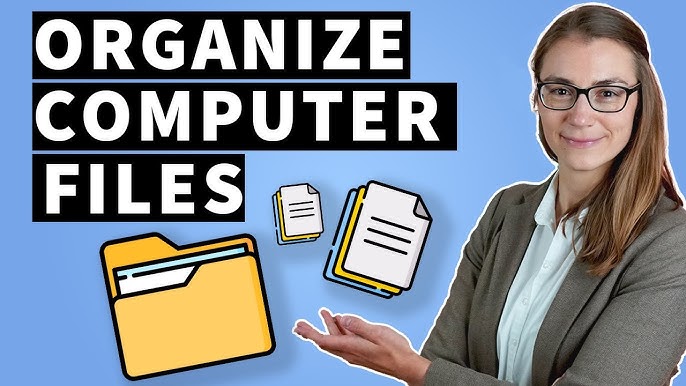
A well-organised file system saves hours of searching, prevents lost work, and reduces the frustration of a cluttered desktop. Learning how to organise files on your computer properly — with a system that is simple enough to maintain — is one of the most practical productivity improvements available.
The Core Principle: Structure Before Content
The most common file organisation mistake is creating folders as needed and naming files descriptively but inconsistently. This produces a folder structure that works for a few months and then becomes incomprehensible as volume grows. The solution: decide your folder hierarchy and naming conventions before you start organising, then apply them consistently.
Building Your Folder Structure
A practical top-level structure for most users covers three to four main categories:
Work/Projects: One folder per project, containing all related documents. Sub-folders within each project: Research, Drafts, Final, Reference. Keep project names consistent and date-prefix active projects if helpful (2026-Q1_ProjectName).
Personal: Finance (sub-folders by year: 2024, 2025, 2026), Health, Property, Legal, Travel. Documents you need to find quickly under stress (insurance policies, medical records) belong here with clear naming.
Archive: Completed projects and outdated documents moved here rather than deleted. Keep but do not clutter your active workspace. An annual “Archive” sub-folder containing everything non-active from that year works well.
Inbox: A temporary landing zone for new, unsorted files. The rule: clear this folder weekly. Files do not live here — they are processed into their permanent location. This is borrowed from the Getting Things Done (GTD) methodology and prevents the Downloads folder from becoming the default storage location for everything.
File Naming Conventions That Work
Consistent naming makes files findable without knowing their location. Best practices: use YYYY-MM-DD date prefix for documents you will need to find by date (2026-03-15_MeetingNotes_ClientName); use underscores or hyphens rather than spaces (spaces cause issues in some tools and command line environments); be descriptive but concise; avoid abbreviations that will be cryptic in two years; use version suffixes for documents with multiple drafts (v1, v2, FINAL — never “FINAL_FINAL”).
Cloud vs Local Storage: What Goes Where
In 2026, most users maintain a hybrid approach. Cloud storage (OneDrive, Google Drive, iCloud, Dropbox) provides: automatic backup, access from any device, easy sharing, and version history. Local storage provides: faster access to large files (video, large databases), no dependency on internet connectivity, and no subscription cost for storage you already have.
A practical rule: anything you would be devastated to lose lives in cloud storage with automatic sync. Large media files, project archives, and locally-installed software can live on local storage. For the cloud storage you choose, understanding its backup and recovery features is important — not all cloud services provide the version history and recovery options you might assume.
Using Search Effectively
Even the best folder system becomes outdated as projects evolve. Good search habits compensate. Windows Search and macOS Spotlight both index file contents (not just file names) — you can search for text inside documents. Windows: Windows key → type search term. Mac: Command+Space. For power users, tools like Everything (Windows) and Alfred (Mac) provide faster and more capable search. The combination of a reasonable folder structure and effective search means you can find any file within seconds rather than browsing through nested folders.
Frequently Asked Questions
How do I deal with years of already disorganised files?
Do not try to reorganise everything at once — this produces a weekend of effort followed by abandonment. Instead: (1) Create your new folder structure and start using it for all new files. (2) When you need to find or use an old file, move it to the correct new location as you go. (3) Once a quarter, spend 30 minutes processing your Downloads folder and desktop. Over 6–12 months, your working files will be organised even if the archive remains chaotic. Eventually schedule a focused cleanup of the archive when time allows.
Should I delete files or archive them?
Storage is cheap — the cost of keeping files is essentially zero, and the cost of needing a deleted file is sometimes very high. Default to archiving rather than deleting. The exception: temporary files, duplicate downloads, and software installers you no longer need. For everything that might plausibly be useful again, keep it in an Archive folder rather than deleting. A well-structured archive that you never look at is infinitely better than discovering you deleted something important.
Understanding How to Organise Files on Your Computer: The Complete Technical and Practical Context
Technology shapes almost every aspect of modern life — from how we work and communicate to how we access information, manage our health, and experience entertainment. Understanding How to Organise Files on Your Computer in depth means understanding not just how it works technically but what it means for ordinary people navigating the digital world of 2026. This complete guide covers every dimension that matters: the technical foundations, the practical applications, the security considerations, the privacy implications, and the real-world impact on daily life.
The pace of technological change has accelerated to the point where staying genuinely informed requires active effort. What was cutting-edge two years ago may be standard today; what seems futuristic now may be routine within eighteen months. Understanding how to organize files on your computer properly means building a mental model that can accommodate this pace of change — a framework of principles rather than a snapshot of current specifics that will be outdated before long. This approach to technology literacy produces understanding that compounds over time rather than becoming obsolete with each product cycle.
The gap between how technology is marketed and how it actually functions is often significant. Marketing emphasises capabilities and benefits; honest technical evaluation also examines limitations, failure modes, security vulnerabilities, and the privacy trade-offs embedded in most digital products and services. Developing the habit of asking “what does this technology actually do with my data?” and “what happens when this fails?” alongside “what can this technology do for me?” produces far more sophisticated and safer technology use than pure capability-focused evaluation. See this related guide and this resource for context on adjacent areas.
How How to Organise Files on Your Computer Works: Technical Foundations Explained Simply
The technical foundations of How to Organise Files on Your Computer are more comprehensible than most people assume. The principle of abstraction — building understandable explanations at progressively higher levels of complexity — means that the practical implications of most technologies can be explained without requiring deep technical expertise. What matters for most users is the layer of abstraction appropriate to their needs: understanding enough about how something works to use it safely, evaluate its claims honestly, and troubleshoot it when things go wrong.
The history of How to Organise Files on Your Computer reveals a consistent pattern: technologies that begin as complex, expensive tools accessible only to specialists become progressively simpler, cheaper, and more widely accessible over time. This democratisation process is driven standardisation, competition, and the accumulated work of open-source communities and commercial developers. Understanding where a particular technology sits in this democratisation curve — early-stage specialist tool versus mature commodity — helps calibrate appropriate expectations about reliability, cost, and ease of use.
Security and reliability are not afterthoughts in well-designed technology — they are foundational design requirements. Understanding the security architecture of how to organize files on your computer and the common failure modes that affect it is essential knowledge for anyone who relies on it professionally or personally. The most common security failures are not exotic sophisticated attacks but simple, preventable errors: weak authentication, unpatched vulnerabilities, and social engineering that exploits trust rather than technical weakness. Building strong security habits consistently prevents the vast majority of technology security problems.
Practical Applications: Getting Real Value from How to Organise Files on Your Computer
The difference between technology that genuinely improves productivity, security, or quality of life and technology that adds complexity without proportional value is not always obvious from product descriptions and marketing. Evaluating how to organize files on your computer honestly requires testing it against specific, real use cases — your actual workflows, your actual security needs, your actual preferences — rather than the hypothetical use cases that marketing materials optimise for.
Integration is often the most challenging practical dimension of any technology. Individual components may work well in isolation; the challenge is making them work together reliably with existing systems, workflows, and habits. Before adopting any new technology solution, understanding its integration requirements and limitations — what it connects to natively, what requires additional configuration, what creates dependencies that are difficult to reverse — prevents the common experience of solving one problem while creating several new ones.
The total cost of technology adoption includes not just financial cost but time cost (setup, learning, ongoing management), attention cost (notifications, updates, troubleshooting), and the opportunity cost of not using alternative approaches. Calculating this total cost honestly — rather than just the subscription price or one-time purchase cost — produces far better technology adoption decisions. Many free tools have significant hidden costs in time and attention; many paid tools with clear pricing are genuinely more economical when total cost is calculate.
Security and Privacy: Protecting Yourself When Using How to Organise Files on Your Computer
Security and privacy considerations for How to Organise Files on Your Computer are not optional extras for technically sophisticat users — they are essential knowledge for everyone who uses digital technology. The most significant security risks in 2026 are not highly sophisticat state-sponsore attacks but ordinary, preventable problems: credential reuse across services, phishing attacks that exploit urgency and trust, unpatched software vulnerabilities, and inadequate backup practices that leave data unrecoverable when the inevitable failure occurs.
The privacy implications of how to organize files on your computer deserve careful consideration. Most digital services collect more data than is strictly necessary for their stated function, retain it longer than users realise, and use it for purposes that are disclosed only in lengthy terms of service documents that the overwhelming majority of users do not read. Understanding what data a technology collects, how it is stored and protected, with whom it is shared, and how you can delete it if you choose to stop using the service are the minimum privacy questions worth asking before adoption.
Defence in depth — layering multiple security measures rather than relying on any single control — is the principle that underlies effective security practice. Using strong unique passwords managed by a password manager, enabling two-factor authentication, keeping software updated, maintaining regular backups, and developing the habit of scepticism about unexpected requests for credentials or urgent action collectively provide substantially stronger security than any single measure alone.
The Future of How to Organise Files on Your Computer: Trends and Developments to Watch
The trajectory of How to Organise Files on Your Computer over the next three to five years is shape several converging forces: the continued advancement of artificial intelligence capabilities and their integration into existing tools; the expansion of 5G and eventually 6G connectivity enabling new forms of mobile and IoT applications; increasing regulatory attention to data privacy, AI ethics, and platform competition in markets including the EU, US, and India; and the ongoing tension between convenience and security as more services move to cloud-based models.
Artificial intelligence is the most significant near-term force reshaping technology across all categories. AI-assisted features are appearing in products ranging from operating systems and productivity suites to security tools and development environments. Evaluating these AI features critically — understanding what they actually do, what data they process, and whether their capabilities justify the privacy trade-offs they often require — is becoming an essential technology literacy skill. Not all AI features add genuine value; some add significant data collection and processing overhead for marginal practical benefit.
The regulatory environment for technology is evolving rapidly and will shape what products are available in different markets, what data practices are legally permissible, and what rights users have to access, correct, and delete their data. The EU’s GDPR and AI Act, India’s DPDP Act, and emerging US federal and state privacy legislation are all creating new requirements for technology companies and new rights for users. Understanding the regulatory context of the technologies you use helps you exercise the rights you have and make more informed choices about which services to trust with your data.
Frequently Asked Questions: Expert Answers About How to Organise Files on Your Computer
What is the most important thing to understand about how to organize files on your computer?
The most important principle for how to organize files on your computer is that technology serves people, not the reverse. Every technology adoption decision should evaluate against the specific value it delivers for your actual needs — not the theoretical capabilities it offers or the social proof of widespread adoption. Technology that solves a real problem you have is valuable; technology adopted because it is widely use or technically impressive without addressing your specific needs is a distraction. Applying this principle consistently produces a technology stack that genuinely supports your goals rather than creating its own maintenance overhead.
How do I stay current with developments in how to organize files on your computer?
Staying current with technology developments without being overwhelm requires curating high-quality sources rather than following every development as it emerges. For how to organize files on your computer specifically: identify two or three respected specialist publications or newsletters that cover this area with depth and accuracy; follow practitioners who explain developments clearly and critically rather than breathlessly; and allocate specific time for technology learning rather than treating it as always-on background noise. The goal is inform awareness of significant developments, not comprehensive tracking of every product release or news item.
What are the most common mistakes people make with how to organize files on your computer?
The most common mistakes with how to organize files on your computer consistently fall into three categories. First, adoption without adequate security consideration — using convenience features that compromise security (password reuse, skipping two-factor authentication, using public Wi-Fi without a VPN). Second, over-reliance on any single tool or service without adequate redundancy — assuming cloud services are infallible backups, or that a single security tool provides complete protection. Third, neglecting maintenance — failing to apply updates, audit connected services and permissions, or regularly review privacy settings as they evolve. Building good habits around these three areas prevents the most common and most costly technology problems.
Key Takeaways: Your Complete Action Guide for How to Organise Files on Your Computer
- Understand before adopting: Take time to understand how how to organize files on your computer actually works, what data it collects, and what its limitations are before integrating it into important workflows.
- Security first: Apply defence-in-depth principles — strong unique passwords, two-factor authentication, regular backups, and software updates — as baseline practices for all technology use.
- Privacy matters: Read (or at least summarise) the privacy policies of services you rely on and make active choices about what data you are willing to share in exchange for convenience.
- Total cost calculation: Evaluate technology against total cost including time, attention, and privacy trade-offs, not just financial cost.
- Stay informed, not overwhelmed: Curate a small number of high-quality technology sources rather than trying to follow every development in the field.
Technology literacy in 2026 is not about knowing every specification or following every product release — it is about having the frameworks to evaluate new developments critically, the security habits to use technology safely, and the judgment to adopt tools that genuinely serve your needs rather than create new complexity. The guides linked throughout this article — including this resource and this guide — provide depth on the specific topics most relevant to getting genuine value from modern technology.
Related Technology Articles

Meera Patel is a technology writer covering consumer tech, digital privacy, AI, and emerging innovations. She translates complex tech topics into clear, practical guides that help everyday readers make smarter decisions in a fast-moving digital world.
Meera Patel is a technology journalist and digital trends writer with a focus on making the complex world of tech accessible to everyone. At Insightful Post, she covers a wide range of topics — from artificial intelligence and computer vision to cybersecurity, digital privacy, and consumer gadgets.
Meera’s writing philosophy is simple: technology should be understandable, not intimidating. Whether she’s reviewing budget laptops, explaining how to protect your digital footprint, or breaking down enterprise automation tools, she prioritizes clarity, accuracy, and real-world usefulness.
With a background in information technology and digital media, Meera has a keen eye for spotting the trends that actually matter to readers — cutting through the hype to deliver content that is both timely and genuinely helpful. Outside of writing, she’s an enthusiast of open-source software and follows the AI space closely.

2 thoughts on “How to Organise Files on Your Computer: Complete System Guide 2026”